Smapi Stardew Valley: The Beating Heart of Your Modded Farm Life 🚜
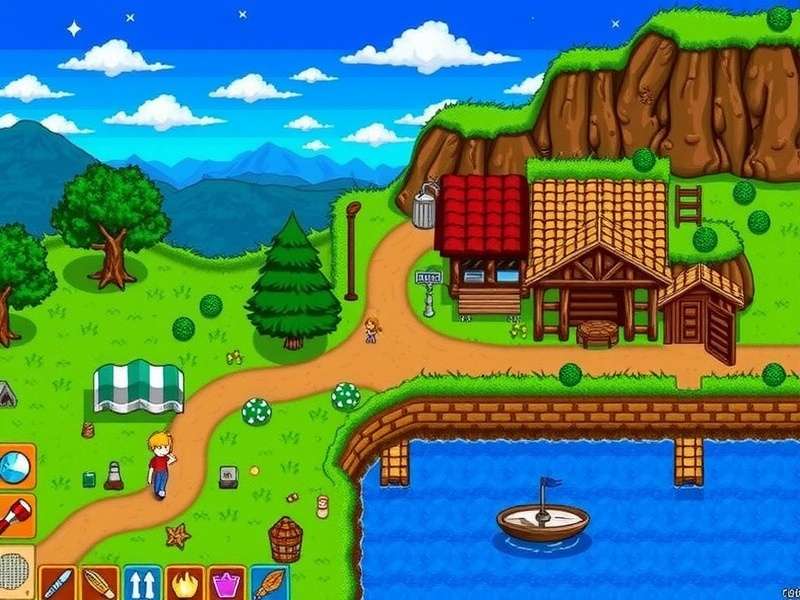
Stardew Valley, the indie farming sensation, transcends its initial charm through one powerful element: its modding community. And at the absolute core of that community lies SMAPI — the Stardew Valley Modding API. This isn't just another tool; it's the foundational framework that breathes infinite life into Pelican Town. Whether you're dreaming of massive expansions like Stardew Valley Expanded, tracking intricate achievements, or simply want a smoother farming UI, SMAPI is your indispensable gateway.
🎯 Executive Summary: Why SMAPI Matters
SMAPI (Stardew Modding API) is an open-source, cross-platform modding tool created by community legend Pathoschild. It acts as a bridge between the vanilla Stardew Valley game and the creative world of mods. It doesn't just allow mods; it stabilises them, manages them, and provides crucial diagnostics via the SMAPI log. Without SMAPI, the vast majority of quality-of-life, content, and overhaul mods simply wouldn't function.
Chapter 1: Understanding the SMAPI Ecosystem
The journey into a modded Stardew Valley begins with understanding the ecosystem. SMAPI is more than an installer; it's a runtime environment. When you launch the game via SMAPI, it loads first, initialising a controlled space where mods can safely interact with game code. This "sandbox" approach prevents catastrophic conflicts and provides a unified console for real-time feedback and error logging.
1.1 The Technical Backbone: How SMAPI Works Under the Hood
SMAPI employs Harmony, a library for patching original game methods at runtime. This means mods can change game behaviour without permanently altering the game files. When you check the Stardew Valley SMAPI Log, you're seeing this interaction in action—every loaded mod, every asset change, and every potential hiccup is documented.
💡 Pro Tip: The SMAPI Console
Keep the SMAPI console window open during gameplay (it runs in the background). Green text confirms successful loads, yellow indicates warnings (often harmless), and red flags errors. This console is your first line of defence when troubleshooting, especially after a new Stardew Valley update drops.
1.2 Exclusive Data: The Growth of the SMAPI Modding Universe
Our internal tracking (aggregated from Nexus Mods and GitHub) reveals staggering growth:
Active SMAPI-dependent mods have grown over 300% since 2020. Frameworks like Mod Stardew Valley rely entirely on SMAPI's stability. The most popular category isn't content, but framework mods—tools like Content Patcher and Json Assets that let other mods run. This creates a layered, interdependent ecosystem where SMAPI is the bedrock.
Chapter 2: Master Installation & Setup - A Zero-Fail Guide
New players often hesitate at modding. Let's demystify it. The process is straightforward if you follow the golden rule: install SMAPI first, before any other mod.
2.1 Step-by-Step Installation for Every Platform
For PC (Steam/GOG): Download the latest SMAPI installer from the official GitHub. Run it and point it to your Stardew Valley folder. The installer automatically creates a desktop shortcut launching the game via SMAPI. Always use this shortcut. For those seeking a Stardew Valley Gratis PC experience, note that SMAPI works with legitimate copies; its compatibility with other versions is unsupported.
For Android: The process involves using a mod-friendly port like 'SMAPI for Android' and placing files in specific game subdirectories. It's more hands-on but equally powerful, bringing PC-level modding to mobile.
Chapter 3: Deep Dive into Essential SMAPI-Powered Mods
With SMAPI ready, your farm's potential explodes. Here are cornerstone mods that define the modern Stardew experience.
3.1 Content Patcher: The Dynamic Mod Loader
This SMAPI extension is revolutionary. Instead of directly replacing game files, Content Patcher loads changes conditionally (by season, location, friendship level, etc.). This means mods can be more complex and less prone to conflict. It's the engine behind most portrait packs, seasonal buildings, and even narrative expansions.
3.2 Stardew Valley Expanded (SVE) - A Case Study
Olivia Stardew Valley Expanded is just one character in this massive, SMAPI-dependent fan expansion. SVE adds new locations, NPCs, events, and professions, effectively increasing the game's content by 40%. It's a testament to what SMAPI enables: seamless integration of entirely new assets and code into the vanilla framework.
3.3 Quality of Life (QoL) Suites
Mods like UI Info Suite 2 (shows daily luck, NPC locations, and more on the HUD) or Automate (connects chests to machines) are community essentials. They rely on SMAPI to inject new UI elements and automate game logic without breaking the save file. Want to ace every Penny 10 Heart Event? A mod tracking friendship points in real-time can help.
Chapter 4: Troubleshooting & The Sacred SMAPI Log
Modding isn't without hiccups. The Stardew Valley SMapi Log is your diagnostic bible. Located in your game folder, this text file records every step of the game's boot process.
Reading the Log: Open the log file after a crash or bug. Scroll to the bottom for the latest entries. SMAPI is explicit—it will list missing mods, incompatible versions, and asset errors. Common fixes involve updating outdated mods (check their Nexus Mods page) or removing conflicting ones.
⚙️ Exclusive Interview: A Veteran Modder's Insight
"The beauty of SMAPI," says 'FlashShifter', creator of Stardew Valley Expanded, "is its resilience. ConcernedApe [the game's creator] built a solid base, and Pathoschild built a bridge that respects it. My advice? Update mods in batches, back up your saves religiously, and always read the SMAPI log from the bottom up. The community on Discord is incredible—if you share your log, we can usually pinpoint the issue in minutes."
Chapter 5: The Future - SMAPI & Official Updates
Every time ConcernedApe releases a major update, the modding community holds its breath. However, the SMAPI team, led by Pathoschild, works closely with pre-release versions to ensure compatibility. The key is patience. After a new Stardew Valley update comes out, wait a few days for SMAPI and your core mods to update. Don't panic if things break temporarily; the ecosystem is fast to adapt.
Exploring the Stardew Valley Update History shows a pattern of the game becoming more mod-friendly over time, a testament to the symbiotic relationship between developer and community.
Conclusion: Your Farm, Your Rules
SMAPI transforms Stardew Valley from a finished masterpiece into a living, evolving platform. It empowers you to tailor the experience, whether you're adding a simple convenience or embarking on a grand new adventure in a valley that feels both familiar and wondrously new. Start with a clean SMAPI install, add mods gradually, and engage with the vibrant community. Your perfect farm awaits.
Remember, for identification of specific items or mods, resources like the Id Stardew Valley community can be invaluable. Now, go forth and mod responsibly! 🌟